
✦ Google Business Profile
✦ Updated for 2027
Google Business Profile Optimization: The Checklist Behind 109 Calls a Month
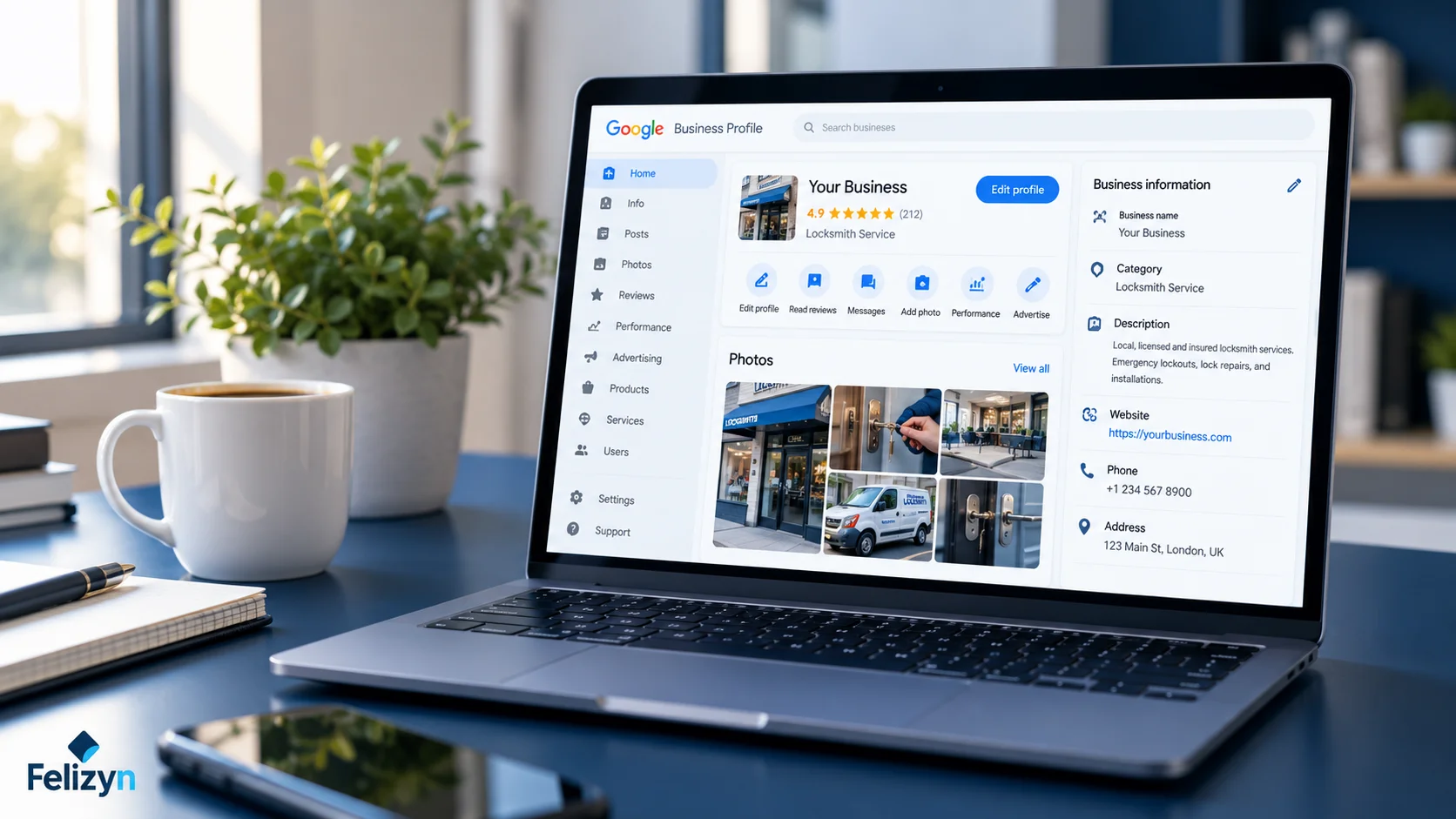
Your Google Business Profile is often the first thing a customer sees. Before they visit your website, they see your rating, your photos, your hours and a big “Call” button. If that profile is weak, they call someone else.
By Faisal Khonglah, Founder of Felizyn
Updated October 2026 · 10 min read
Updated October 2026 · 10 min read
In this guide
Want this done for you?
This checklist shows exactly how we optimize profiles for service businesses. It is the same process behind a Melbourne locksmith’s 109 calls in a single month.
Quick answer
Google Business Profile optimization is the process of improving your free Google listing so it ranks higher in Google Maps and the Local Pack and turns more viewers into callers. The most important steps are: choose the right primary category, complete every field, set accurate service areas and hours, list all your services, upload real photos, post weekly, and collect and reply to reviews.
Key takeaways
#1
Your primary category is the single biggest Map Pack ranking factor.
Whitespark, 2026 Local Search Ranking Factors
109
calls in one month for a Melbourne locksmith, straight from its Business Profile.
Felizyn client result, July 2026
97%
of consumers read reviews for local businesses. Fresh reviews matter.
BrightLocal, Local Consumer Review Survey 2026
45%
of consumers used AI tools for local recommendations. Your profile feeds them.
BrightLocal, Local Consumer Review Survey 2026
The result: 109 calls in one month
Car Keys Express · Melbourne, Australia
109
calls from the Business Profile in July 2026
+65.2%
more calls than July 2025
$0
spent on ads
The business: Car Keys Express, a mobile car locksmith serving Melbourne’s western suburbs.
The goal: more phone calls from people searching for car key help nearby, without relying on paid ads.
What we did: a full Google Business Profile optimization using the checklist in this post, backed by on-page fixes to the website.
Infographic
Monthly calls from the Business Profile
Calls recorded in the profile’s Performance report, Car Keys Express.
November 2024
78
December 2024
87
January 2025
101
June 2026 · +66.1% year on year
93
July 2026 · +65.2% year on year
109
Source: Car Keys Express Google Business Profile Performance reports.
For a locksmith, every call is a potential job. That is why profile optimization is often the highest-return local SEO task for service businesses.
What is a Google Business Profile?
A Google Business Profile (GBP), formerly called Google My Business, is a free listing that shows your business on Google Search and Google Maps. It displays your name, phone number, location or service area, hours, reviews, photos and services. Your profile powers three key places:
01
The Local Pack
The map and top three businesses for searches like “locksmith near me.”
02
Google Maps
Search results inside the Maps app.
03
AI answers
Google AI Overviews and AI Mode often pull ratings, hours and details straight from profiles.

Your primary category tells Google what your business is. It is the most important Map Pack ranking factor, according to 47 local SEO experts in Whitespark’s 2026 study.
Infographic
Top 10 Map Pack ranking factors
Expert importance score for each factor in the 2026 Local Search Ranking Factors survey.
1. Primary GBP category
227
2. Proximity of address to the searcher
225
3. Keywords in GBP business title
223
4. Physical address in city of search
213
5. Business is open at time of search
189
6. High numerical Google ratings
181
7. Address showing on GBP (not service-area only)
176
8. Additional GBP categories
173
9. Quantity of native Google reviews with text
170
10. Proper placement of the map pin
165
Source: Whitespark, 2026 Local Search Ranking Factors (47 experts, 187 factors).
How to choose it
- Pick the category that matches your main money-maker. A car locksmith should choose “Locksmith,” not “Key duplication service.”
- Check what top competitors use. Look at the businesses ranking in the Local Pack for your main search. Free browser tools such as GMB Everywhere can show their categories.
- Add secondary categories for other services. For example, a plumber might add “Drainage service” and “Water heater installation service.”
- Do not add unrelated categories. Too many loosely related categories can weaken your relevance.
- Review categories each quarter. Google adds new ones over time.
How should you set your business name, address and phone number?
Use your real business name, an accurate address or service area, and a local phone number that matches your website exactly. These details are called NAP: Name, Address, Phone.
Business name
Use your legal or trading name only. Adding keywords breaks Google’s guidelines and can get your profile suspended.
Phone number
Use a local number when you can. Make sure it matches your website and directory listings.
Website link
Link to your home page, or to a location page if you have several.
Consistency
The same NAP should appear everywhere online. Mixed details confuse Google and customers.
Business name: do this, not that
Car Keys Express
Not “Car Keys Express Locksmith Melbourne Cheap 24/7.” Keyword-stuffed names risk suspension.
Should a service business show its address or a service area?
Show a service area if you travel to customers and do not serve them at your premises. Most locksmiths, plumbers, cleaners and removalists fall into this group.
20
service areas maximum. List the towns, suburbs or postcodes you really cover.
1
verified location. Your rankings stay strongest near it, however big your area.
Service-area rules
- Hide your address if customers do not visit you. Google still uses it for verification, but it will not be shown.
- List only areas you really cover. Google allows up to 20 service areas.
- Be realistic. Listing a huge area does not make you rank everywhere.
Source: Google Business Profile Help, “Manage your service areas.”
If you want to rank in many towns, pair your service areas with strong location pages on your website.
What details should you complete on your profile?
Complete every field Google offers. Each one gives Google and customers more reasons to choose you.
Hours
Set your normal hours and add holiday hours ahead of time. If you offer 24/7 emergency service, show it.
Services
Add every service with a short, plain description, such as “Car key replacement,” “Car lockout service” and “Key fob programming.”
Business description
You get up to 750 characters. In the first 250, say what you do, where you work and why customers choose you.
Attributes
Add options like “Online estimates,” “Onsite services” or “Veteran-owned” where they apply.
Opening date
Add the year you started. Years in business build trust.
Booking or quote link
Link to your contact form so customers can act straight away.
What photos should you upload?
Upload real, recent photos that show your team, your vehicles and your work. Real photos build trust far better than stock images. A good photo set includes:
01
Logo and cover photo
In your brand colours.
02
Team photos
Ideally in uniform.
03
Branded vans or vehicles
So people recognise you on the street.
04
Before and after shots
Of real jobs.
05
Short videos
A job in progress or a quick tip.
06
Fresh images monthly
A steady stream of new photos shows your business is active.
How often should you post on Google Business Profile?
Post at least once a week. Weekly posts keep your profile fresh and give customers a reason to call. Ideas that work well for service businesses:
Recent jobs
“Replaced a lost Toyota key in Werribee this morning.”
Builds trust
Offers
A seasonal discount or free quote.
Drives calls
Tips
“What to do if your car key won’t turn.”
Shows expertise
Updates
New services, new areas or holiday hours.
Keeps info fresh
Each post should include a photo and a clear button, such as “Call now” or “Get a quote.” At Felizyn, weekly GBP posts are part of every local SEO plan for this reason.
How do you get more Google reviews?
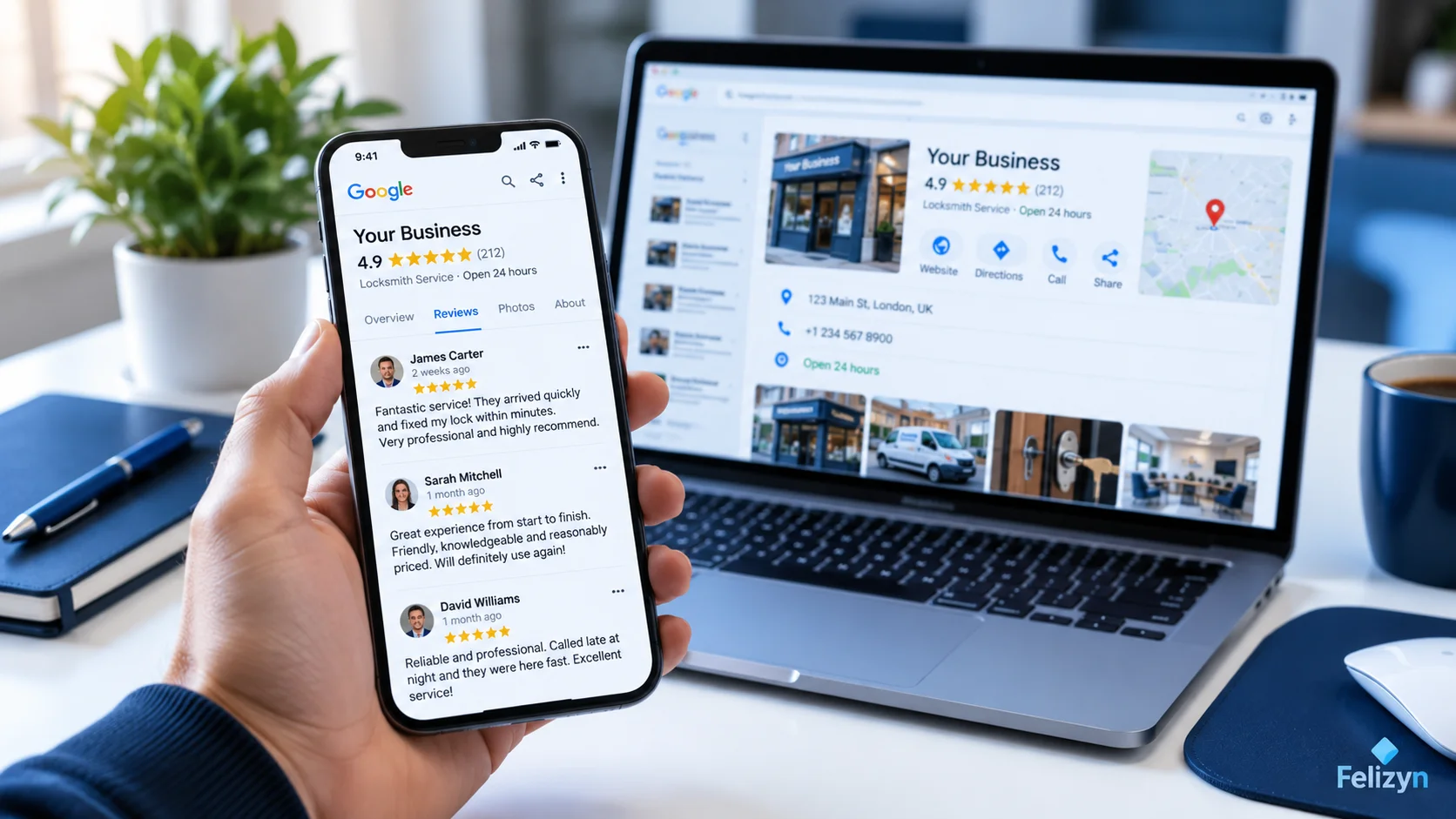
You get more Google reviews by asking every happy customer, right after the job, with a direct link that takes them straight to the review box. Make it easy and make it routine.
Infographic
What customers expect from your reviews
68%
only use businesses rated 4 stars or higher
47%
won’t use a business with fewer than 20 reviews
74%
only consider reviews from the last 3 months
89%
expect business owners to respond to reviews
How recent do reviews need to be?
Only consider reviews from the last 3 months
74%
Look for reviews from the last two weeks
32%
Only trust reviews from the last week
18%
Source: BrightLocal, Local Consumer Review Survey 2026 (1,002 US consumers).
How to get a steady flow of reviews
- Ask at the right moment. The best time is when the customer is happiest: the car is open, the leak is fixed, the house is clean.
- Send a direct link by text. Find your review link in your Business Profile dashboard and save it as a text template.
- Aim for a steady flow. A few new reviews every week beats 30 in one month and then silence.
- Never buy or fake reviews. Google removes fake reviews and can restrict or suspend your profile.
- Do not offer rewards for reviews. Discounts in exchange for reviews break Google’s rules.
How should you reply to reviews?
Reply to every review, positive or negative, within a few days. Replies show customers you care, and they give Google more fresh activity on your profile.
89%
of consumers expect businesses to respond to reviews.
BrightLocal, Local Consumer Review Survey 2026
80%
are likely to use a business that responds to all its reviews.
BrightLocal, Local Consumer Review Survey 2026
For positive reviews
Thank the customer by name and mention the service naturally. For example: “Thanks, Sarah! Glad we could get you back into your car so quickly in Point Cook.”
For negative reviews
Stay calm and polite. Apologise, state the facts briefly and offer to fix it offline. Future customers judge you on how you handle problems.
How do you track calls from your Google Business Profile?
You track calls in the Performance section of your Google Business Profile, which shows calls, website clicks and direction requests over time. Check it every month. For deeper tracking:
Tracking checklist
-
Add UTM tags to your website link:
utm_source=google,utm_medium=organicandutm_campaign=gbp. This lets you see GBP visitors separately in Google Analytics. - Compare month to month and year on year. Seasonal trades, like lawnmower repair, swing a lot through the year.
- Ask new customers how they found you. Simple, and often the most honest data.
This is how we measured the 109 calls for Car Keys Express: straight from the profile’s Performance report.
Want us to optimize your profile for you?
Get a free audit of your Google Business Profile. We will show you exactly what to fix to get more calls.
What are the most common Google Business Profile mistakes?
The most common mistakes are keyword-stuffed names, wrong categories, inconsistent contact details and neglected profiles. Each one costs you rankings or calls.
01
Stuffing keywords into the name
Risks suspension.
02
Choosing a vague primary category
“Contractor” is weaker than “Roofing contractor” if roofing is your main work.
03
Using a virtual office or fake address
Google can suspend profiles that use addresses where you do not really operate.
04
Different phone numbers on different sites
This confuses Google and customers.
05
Ignoring reviews
Unanswered reviews, especially bad ones, put people off.
06
Setting it up once and forgetting it
No posts, no new photos and old hours tell Google the business may be inactive.
07
Editing too much at once
Big changes to your name, address or category can trigger re-verification. Make major edits carefully.
The complete Google Business Profile optimization checklist
Use this checklist to audit your own profile. Work through the one-time tasks first, then keep up the ongoing ones.
One-time set-up (do these first)
- 1. Claim and verify your profile · Once
- 2. Use your real business name, with no added keywords · Once
- 3. Choose the most accurate primary category · Once, review quarterly
- 4. Add relevant secondary categories · Once, review quarterly
- 5. Set your address, or hide it and add service areas · Once
- 6. Add a local phone number that matches your website · Once
- 7. Link to your home page or location page, with a UTM code · Once
- 8. Set regular hours · Once, update as needed
- 9. Add holiday hours · Before each holiday
- 10. List every service with a short description · Once, update as needed
- 11. Write a 750-character business description · Once, review yearly
- 12. Add attributes and opening date · Once
- 13. Add a booking or quote link · Once
- 14. Upload logo, cover, team and vehicle photos · Once
Ongoing (keep these up)
- 15. Add job photos and short videos · Monthly
- 16. Publish a GBP post with a photo and button · Weekly
- 17. Ask every happy customer for a review · After every job
- 18. Reply to every review · Within a few days
- 19. Check NAP matches across directories · Quarterly
- 20. Review calls, clicks and directions in Performance · Monthly
- 21. Test how AI tools describe your business · Monthly
For the bigger picture, read our complete guide to local SEO for service businesses.
Frequently asked questions
How long does Google Business Profile optimization take to work?
In our experience, many profiles see more views and calls within 4 to 8 weeks of a full optimization. Steady weekly posts and reviews keep that growth going over the following months.
Is Google Business Profile free?
Yes. Creating and managing a Google Business Profile is free. You only pay if you choose to run ads, such as Google Ads or Local Services Ads.
Can I rank on Google Maps without a physical office?
Yes. Service-area businesses can hide their address and list the areas they serve. Your strongest rankings will still be near your verified location, so support other areas with location pages on your website.
What is the most important Google Business Profile ranking factor?
Your primary category. Local SEO experts ranked it the number one Map Pack factor in Whitespark’s 2026 study, ahead of proximity to the searcher.
How many photos should I add to my profile?
There is no magic number. Start with your logo, cover photo, team, vehicles and at least 10 job photos, then add a few new ones every month.
Why did my Google Business Profile get suspended?
Common causes are keyword-stuffed names, fake or virtual addresses and sudden major edits. Our guide on why your business isn’t showing on Google Maps covers the fixes.
Does my Google Business Profile affect AI search?
Yes. Google AI Overviews and AI Mode often pull ratings, hours and details from business profiles. A complete, accurate profile makes it easier for AI tools to recommend you. Our guide to getting recommended by ChatGPT and Google AI Mode covers this in depth.

About the author
Faisal Khonglah
Faisal Khonglah is the founder of Felizyn, a local SEO and paid ads agency for service businesses. He has four years of hands-on local SEO experience, including agency work at GLP Marketing in Los Angeles. He optimizes Google Business Profiles for locksmiths, repair specialists and other service businesses across Australia, the UK and the US.
Want us to optimize your profile for you?
Felizyn will audit your Google Business Profile for free and show you exactly what to fix to get more calls. Every Felizyn plan includes weekly GBP posts, and there are no long-term contracts.